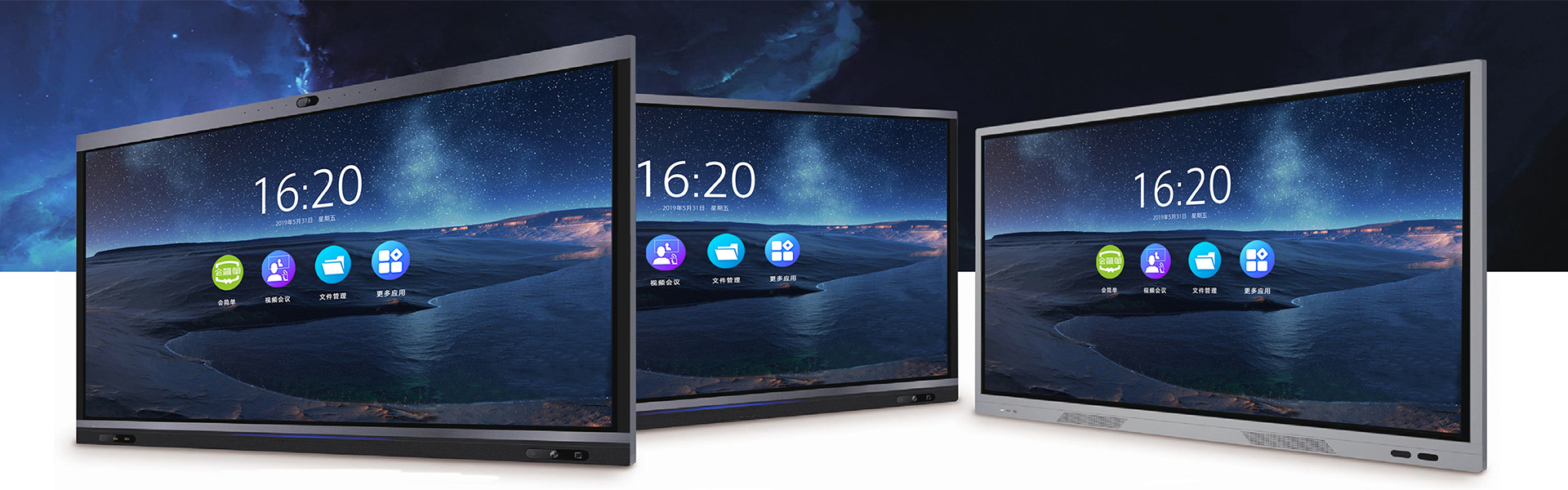
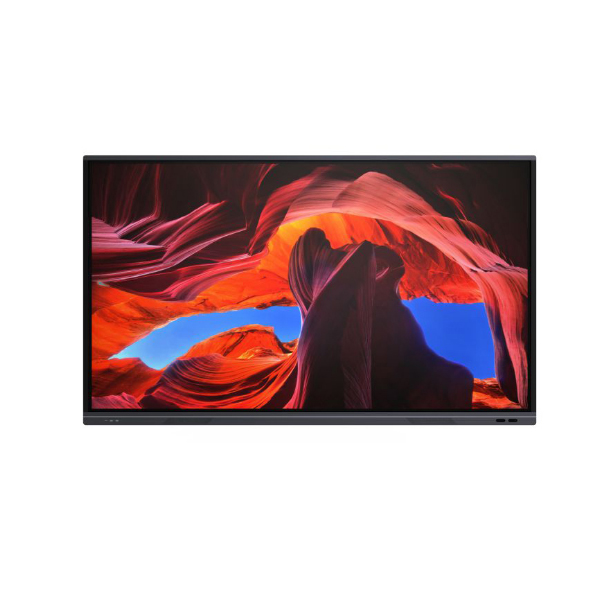
I. Hardware parameters
1. The entire machine adopts an 86-inch A-grade screen, with a display resolution of ≥3840*2160 and a color saturation of ≥92%.
2. The surface is made of eye-protection, anti-blue light, and anti-glare tempered glass, with a thickness of ≥4mm, a hardness of ≥7H, and a light transmittance of ≥90%
3. Adopt Android 14, with 4G of DRAM and 32G of Flash.
4. Front-facing interfaces: USB*2, Touch-USB*1, TYPE-C*1, HDMI*1.
5. The entire device is equipped with two 15W front-facing speakers.
6. OPS computer: Equipped with an internal OPS computer, the computer configuration is optional for customers. The PC module can be inserted into the entire machine in a draw-out manner, allowing for plug-in and unplugging without separate wiring.
II. Basic functions
1. The equipment has passed the certification of EN 62471:2008 interactive flat panel photobiological safety testing.
2. The eye protection mode supports the activation of paper-based eye protection modes in any channel, allowing the use of kraft paper, watercolor paper, watermark paper, sketch paper, rice paper, etc. as eye protection backgrounds in any channel.
3. The touch technology adopts high-performance infrared touch technology, which can support 20-point writing. The touch screen has a light interference prevention function and can still work normally in an illumination environment of 110K LUX.
4. The touch frame can support writing operations after partial or complete obstruction, and multi-point writing can still be achieved normally when the touch screen is twisted by 10°.
5. The front-mounted single button allows for customizable functions for power on/off. It can be set to enable energy-saving mode when not in use, with a long press to turn off, or a single press to set a custom time for entering energy-saving mode when there is no operation.
6. Scheduled power-on/off: The device supports setting power-on/off times according to working days or daily schedules.
7. The network function of the entire device supports simultaneous networking for both Windows and Android systems by connecting only one network cable. The built-in AP function synchronously enables 2.4G/5G hotspots when connected to wired or wireless networks, allowing access for ≥20 terminals.
8. Gesture operation, supporting three-finger invocation of compass menu, five-finger activation/deactivation of screen lock, and gesture wipe function.
9. After undergoing a vibration test on a vibration table with a frequency range of 5-50Hz, and experiencing vibrations in each of the three directions (X, Y, Z) for 30 minutes each, the appearance shows no signs of damage or cracking.
10. The built-in system manager supports one-click system acceleration, disk cleanup, and hardware self-check. The hardware self-check supports self-inspection of CPU, GPU, light sensor, touch, network, microphone, camera, OPS, device temperature, etc.
11. Support automatic signal source recognition function. After enabling the automatic signal source recognition function, the display will automatically jump to the corresponding channel for display. Additionally, the name of each channel can be customized. Support waking up the entire device through network, VGA, and HDMI.
12. Signal source preview: It supports the preview function for the inserted signal source, allowing users to view the input signal source image in advance.
13. The file quickcasting feature allows for the quick synchronization of images, documents, Excel, PPT, PDF, and other content from any mobile device to a large screen for display by scanning a QR code.
14. The permission management system is equipped with a built-in array password lock and a U-disk lock. The U-disk lock requires a specific U-disk to unlock the entire device.
15. Application lock support, allowing users to set an opening password for built-in applications. Only after entering the set password can the application be launched.
16. System upgrade function: The system supports OTA remote upgrade, enabling system updates through the OTA function.
III. Software Functions
(1) Basic system
1. The built-in floating compass menu allows quick access to the compass menu through three fingers on any channel. The compass menu tool can be customized to select all applications, system tools, and signal channels as compass tools.
2. Side menu: Provides dual side menus, offering functions such as homepage, back, multitasking, folders, whiteboard, application list, sound/brightness settings, stopwatch, countdown, screen curtain, split screen, screen recording, calculator, freeze screen, spotlight, solo listen, screenshot, lock screen, quick file transfer, calendar, screen mirroring device, touch lock, screen down, and power. Supports whether to display on the left or right side.
3. The Android whiteboard software supports QR code-based sharing functions for both local area networks and the Internet plus. Depending on the importance of the content, it can be set whether to encrypt during the sharing process. Only by scanning the code and entering the correct password can the device obtain the file.
4. Supports three erasing methods: sliding to clear the screen, using a pen eraser tool to perform local erasing, and gesture erasing. Gesture operations support automatic adjustment of the erasing area based on its size. The recognition area for custom gesture erasing can be adjusted according to different usage habits.
5. The built-in Android interactive software supports the insertion of no less than 20 geometric shapes and 8 three-dimensional shapes.
6. Support for inserting tables, where rows and columns can be dragged to add content. When writing content in the table, the table can automatically adjust its width based on the content.
7. The software supports sharing the current content by sending it via email to a designated email address.
8. Support presenting content as local files or directly storing them on personal Baidu Cloud Disk.
9. You can insert background pages such as solid colors, subject standard templates, universal eye-protection templates, and customizations. Through the page number tool, you can preview all pages and delete individual pages.
(II) AI-based intelligent lesson preparation system
(AI function is an integrated software function, not a third-party software plugin)
1. The software provides account binding with platforms such as Microsoft, WeChat, and Google. After logging in, users can enter their personal spaces to browse and download technology and resources. The account can achieve resource interoperability across Android, Windows, HarmonyOS, domestic UnicoreOS, and domestic KylinOS systems.
2. Support one-click PPT creation. Through mathematical-related descriptions, teaching plans can be automatically generated. After the teaching plan is generated, a PPT can be created with one click. The theme color, design style, layout scene, etc. of the PPT can be set according to needs. After selection, the PPT can be generated with one click and saved locally or directly stored in personal cloud space. The corresponding courseware can be called through other system platforms.
3. Support the storage of cloud-saved courseware in personal spaces or created group spaces. Group spaces can support direct access to the current courseware by members of the same group.
(III) Teaching software system
1. Provide a cloud space account to enable personal cloud storage of courseware, allowing file transfer between Android and Windows systems.
2. Support the import of files in formats such as doc, docx, xls, xlsx, ppt, pptx, and pdf into the software. Once imported, the original file's page count and content remain unchanged, allowing direct integration into the software for teaching activities.
3. The software provides lesson preparation mode, teaching mode, and annotation mode. In the lesson preparation and teaching modes, the screen display ratio can be adjusted according to different display devices to achieve optimal display.
4. The software can be set to determine whether the function icons have text prompts, and the text prompts can be displayed in the currently switched language based on the language switch.
5. In lesson preparation mode, the display ratio can be adjusted according to the monitor's ratio, and different teaching theme styles can be set according to the needs of course teaching.
6. The pen tool software offers 9 types of pens: ballpoint pen, signature pen, marker pen, laser pointer, shape pen, text pen, digital pen, magic pen, and AI pen. The math pen supports mathematical formulas, while the AI smart pen can generate text analysis and image/video explanations through big data after the board writing. The magic pen supports automatic generation of standard diagrams after board doodling (this feature supports Google Chrome). The shape pen can automatically generate standard graphics from the drawn shapes.
7. The software comes with no less than three erasing tools: gesture erasing, partial erasing, and full-screen clearing. Partial erasing allows for the setting of erasing area size within the software according to needs.
8. The software comes with a roaming function in both lesson preparation mode and teaching mode, which allows for unlimited expansion of the page.
9. The built-in graphic insertion tool in the graphics software allows for the insertion of geometric images and three-dimensional graphics. The custom graphic tool enables the insertion of custom polygons, where adjustments can be made to the border width and color, as well as customizing the fill color and transparency of geometric shapes. The input graphics can have their edges and corners modified, and edge and corner data can be displayed as needed.
10. The focus function can achieve key display and OCR recognition. Depending on needs, the focus function can be activated to display key areas. During the display process, the color of the key areas can be enhanced, or the display outside the key areas can be blackened. If a larger display page is needed, full-screen display can be achieved by clicking on "full screen". If a text has multiple key areas, multiple key areas can be saved by clicking on "insert" for separate explanation.
11. Mind mapping tools can be used to create mind maps, where node colors and connection lines can be modified.
12. Text tools allow for text input through handwriting and keyboard methods. The inserted text can be adjusted in terms of font, size, subscript, boldness, and formatting. For the inserted text, embedded engines can be used to call upon search engines such as Google, Bing, and Baidu to search for corresponding images and webpages. The searched content can be directly inserted into the software for use or called upon through YouTube for corresponding video content. With AI intelligent assistants, selected text content can be exported as mind maps, semantic explanations, and simulation experiments.
13. Words can be directly translated into multiple languages using the built-in attribute function of the software.
14. Multimedia provides the ability to insert local resources and cloud resources provided by the software. Local resources can be inserted as images, videos, etc., and can be used as independent materials after insertion. Other types of file materials such as PPT and Word can be inserted as connected objects anywhere on the page, and can be called upon by clicking when needed.
15. PDF Tool: Teachers can insert PDF files into the software, and after insertion, they can perform operations such as annotating and flipping pages within the PDF. When annotating, the annotations will automatically be embedded into the corresponding annotated page as the page number changes.
16. Mathematics comes with built-in functions, formulas, mathematical drawing boards, teaching aids, and other teaching tools. Function graphs provide standard graphics that can be dragged into the coordinate system with one click for display. Alternatively, users can input standard custom functions and drag them into the coordinate system to generate corresponding function images.
17. The ruler and compass tool software comes with various ruler and compass tools such as straightedge, compass, protractor, set square, right-angle set square, and engineering set square, which can be used for drawing and measuring operations. Among them, the compass tool can draw arcs, sectors, and angles of specified sizes.
18. Mathematical tools support direct invocation of mathematical formulas, and the invoked formulas can be further modified. Mathematical function graphs support the generation of standard function graphs after inserting formulas, enabling the display of multiple function graphs within the same graph. It provides no fewer than 42 commonly used mathematical logic demonstration experiments, which support customization of numbers and automatically demonstrate mathematical logic processes based on data.
19. Provide advanced mathematical demonstration tools that offer animated demonstrations of geometric and mathematical logic related to subjects such as triangles, algebra, arithmetic, numerical values, calculus, functions, geometry, probability, statistics, and trigonometry. The demonstration process should support the setting of different variables to meet the current teaching scenario, with a total of no fewer than 233 experiments.
20. The physics subject supports the insertion of various chemical instruments and experimental diagrams from the chemistry subject. Among them, there are no fewer than 48 small physics demonstration experiments, and experimental data can be customized for demonstration according to the experimental demonstration environment.
21. The chemical tool supports the insertion of various chemical instruments in the chemistry discipline, including no fewer than 28 small chemical demonstration experiments. Experimental data can be customized for demonstration according to the experimental demonstration environment.
22. Built-in auxiliary teaching tools such as a clock, virtual keyboard, solar system model, 3D viewer, and split screen are available. The solar system model can demonstrate the movements of stars and planets in the solar system. The 3D viewer can display 3D files on the courseware. The split screen tool allows for a three-way split screen, which enables independent operations with complementary interference between writing and erasing.
23. The board-within-board feature allows for the quick creation of a temporary writing panel for rapid display operations on any page.
24. The screen recording tool can achieve both regional and full screen recording. Depending on the screen display, settings such as 720P, 1080P, and original image recording can be configured. For regional screen recording, any area can be selected for screen recording.
25. The Chinese language subject provides supplementary applications related to Chinese language teaching, such as Three Hundred Tang Poems, Idiom Stories, Classical Chinese Dictionary, and Chinese Poetry for All Ages.
26. Screen sharing supports the generation of QR codes. After scanning the QR code on the mobile device, users can synchronously view the current desktop content in real time.
27. The remote classroom supports one-click access to remote audio and video, desktop file sharing, and other remote classroom functions, without relying on third-party plugins.
28. Courseware scanning and sharing: Users can scan and take away the current courseware by scanning the QR code for sharing.
29. The perfect combination of camera video, digital projector, and video booth with a quasi-camera interface enables both dynamic image annotation and static capture. It supports up to 9 captured images for comparison operations and allows quick liking through the liking tool.
30. The interactive blackboard feature allows direct display of the written content on the interactive blackboard through software after it is connected.
31. Provide professional digital drawing board tools, offering over 30 pen shapes and more than 30 stroke styles.
32. Calligraphy practice function, providing 15 or more fonts as templates for copying, or directly inputting the text to be copied and generating the corresponding font before copying.
33. The AI assistant function can generate poetry and engage in scene dialogues during the teaching process.
(IV) Voting tools
1. Voting supports three modes: single-item voting, multiple-item voting, and referendum. Users can quickly vote by scanning a QR code on the display terminal. During the voting process, participants do not need to download and install specialized software. The system automatically tallies and displays the voting results.